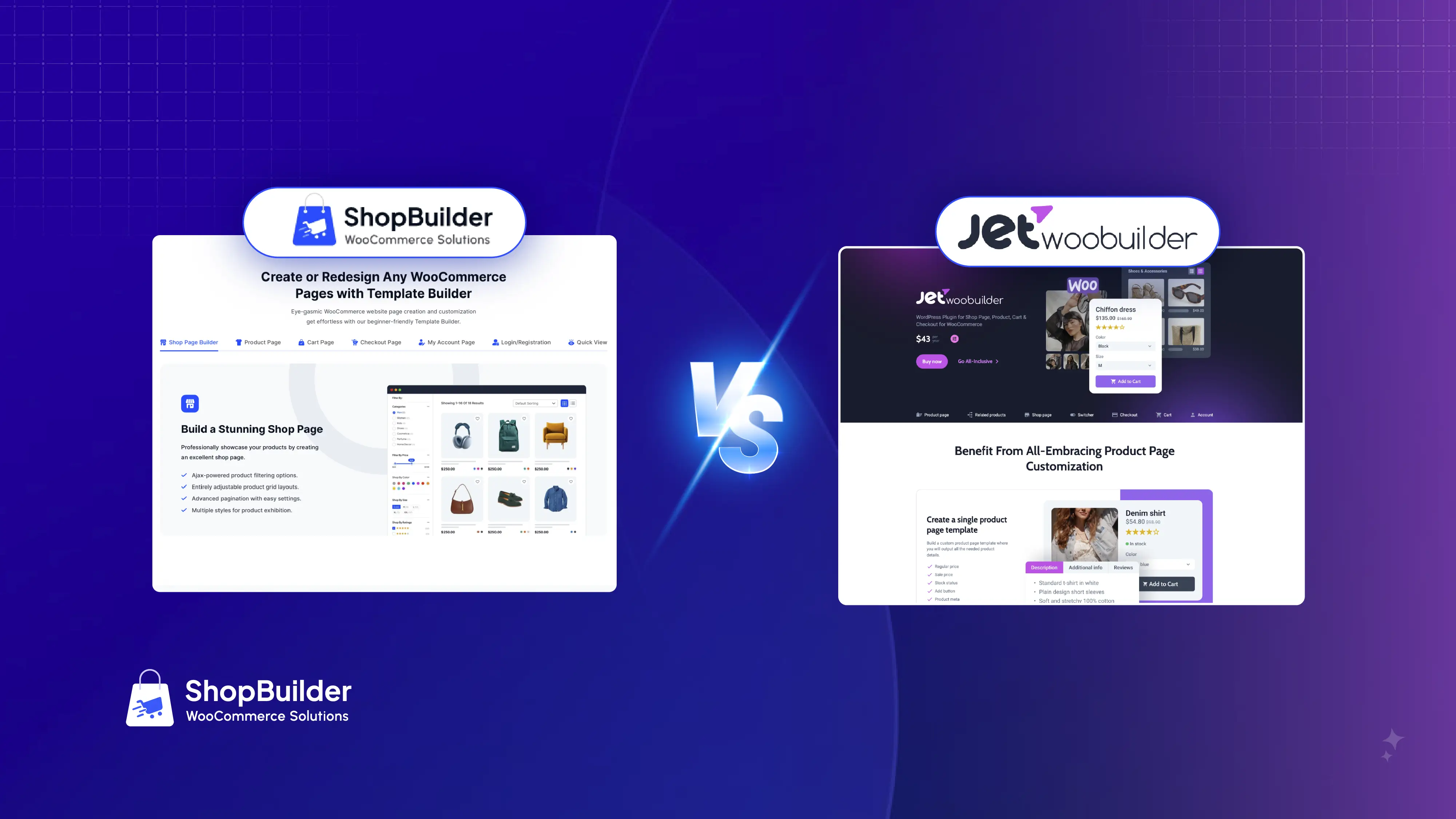
You can find many plugins out there to build your WooCommerce stores. Among these WordPress plugins, JetWooBuilder is a famous name.
So, we decided to make a comparison between JetWooBuilder and our plugin, ShopBuilder. We wanted to determine which plugin offers the most benefits to users.
That’s why we came up with this article about ShopBuilder vs JetWooBuilder. Once you finish reading this content, you’ll also know which one is the best for building a professional and high-converting WooCommerce store. Let’s begin.
ShopBuilder vs JetWooBuilder: A Detailed Comparison
The comparison between ShopBuilder and JetWooBuilder starts here in this section. We recommend that you read the entire content slowly.
Overview of These Plugins
We’ll begin by learning a little about ShopBuilder and JetWooBuilder.
ShopBuilder
ShopBuilder is a high-quality WooCommerce store builder. It’s compatible with Elementor and features a bunch of modules, pre-made templates, and Elementor addons to help you create the best WooCommerce shop without coding.
If you want a plugin to build or redesign your WordPress shop to attract visitors and increase conversion, try this plugin for free! From setting up sales notifications and flash sales to creating gift cards and coupons, this plugin enables you to do virtually everything to boost sales.
JetWooBuilder
JetWooBuilder is a WordPress plugin that primarily enhances the functionality of Elementor, assisting you in creating WooCommerce stores. It offers various Elementor widgets and custom templates for pages like product pages, cart, checkout, and account pages.
As a result, users can swiftly create custom and professional e-commerce pages for their WordPress stores. Essentially, JetWooBuilder offers a significant number of Elementor widgets and templates to help you design and customize your store.
Significant Features Comparison
Let’s walk you through the key feature comparison between ShopBuilder and JetWooBuilder with the table below.
| Feature | ShopBuilder | JetWooBuilder |
| Page Builders | Elementor (Gutenberg support is in development) | Elementor and Gutenberg |
| Widget & Module Count | 100+ widgets, 20 modules | 50+ widgets, no native modules |
| Templates | 30 pre-built templates (free & pro) | A few basic templates |
| Cart/Checkout Customization | Full drag-and-drop cart, checkout, multi-step, Shopify-style | Drag-and-drop cart, checkout, no multi-step |
| Quick View | Yes | Yes |
| Wishlist | Yes | Requires an extra plugin |
| Product Comparison | Yes | Requires an extra plugin |
| Sales/Flash Notifications | Yes | No |
| Pre-Orders & Partial Payments | Yes | No |
| Currency Switcher | Yes | No |
| Gift Cards & Smart Coupons | Yes | No |
| Multi-Language & Theme Compatibility | Yes | Yes |
Editorial Notes: The information in the table may change over time, as both plugins are regularly updated.
Interface & Usability
ShopBuilder and JetWooBuilder both work with Elementor’s drag-and-drop system, but their usability differs. ShopBuilder’s clean, simple interface suits beginners.
Its widgets, such as wishlists and checkout, are easy to use, with clear settings for quick store selection. This makes it ideal for non-tech-savvy users.
JetWooBuilder offers advanced widgets for custom shop and product pages, perfect for detailed designs. However, its crowded menu feels complex for new users.
ShopBuilder excels in ease and speed; JetWooBuilder is better suited for experienced users who want unique layouts.
Templates, Modules, and Widgets of These Store Builders
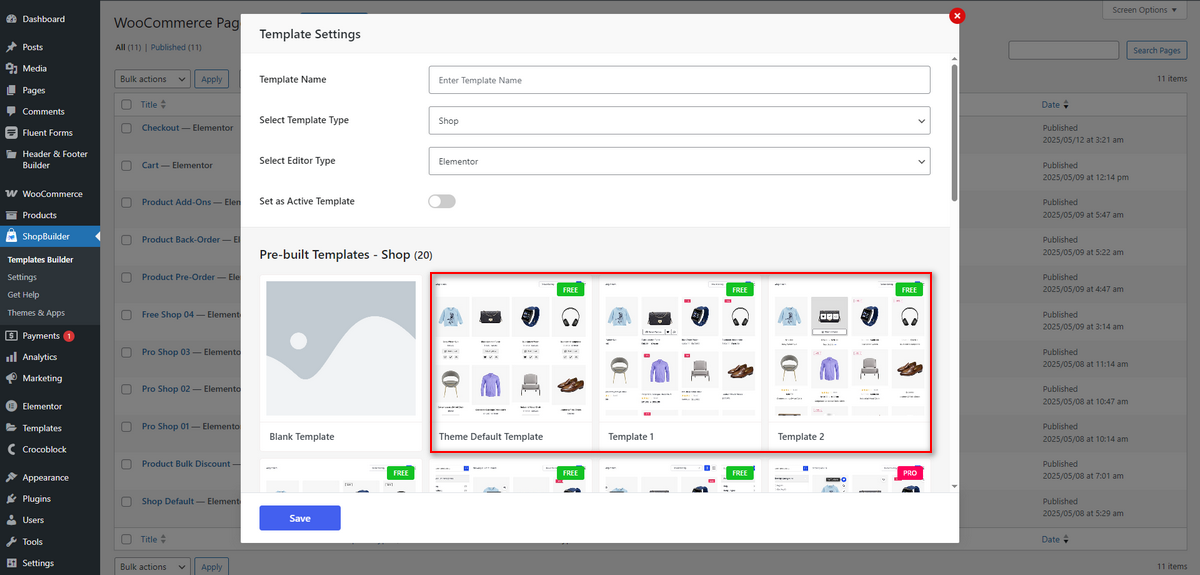
ShopBuilder comes with over 100 widgets, 30 page templates, and 20 modules. These help you easily build top-grade WooCommerce stores that drive conversions.
Suppose you want to edit the shop page, single product page, cart page, or even the checkout page to reduce cart abandonment rate, you can easily do that with ShopBuilder’s one-click installation template.
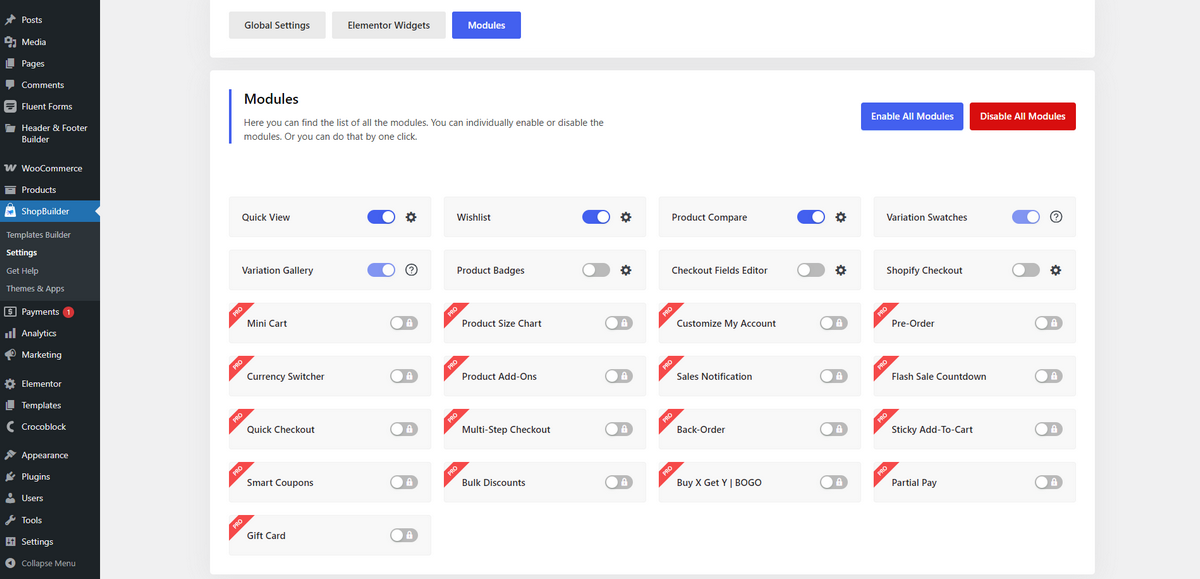
Not only this, but the plugin also includes modules such as Quick Checkout, Sticky Add-To-Cart, Pre-Order, Back-Order, Smart Coupons, and more. They help you improve the dwell time and conversion rate of your WooCommerce store.
Now, let’s talk about JetWooBuilder’s templates and widgets. JetWooBuilder has a few ready-made templates and 67 Elementor widgets to help you design your WooCommerce shop. These tools provide you with complete control over how you want your shop to look and function.
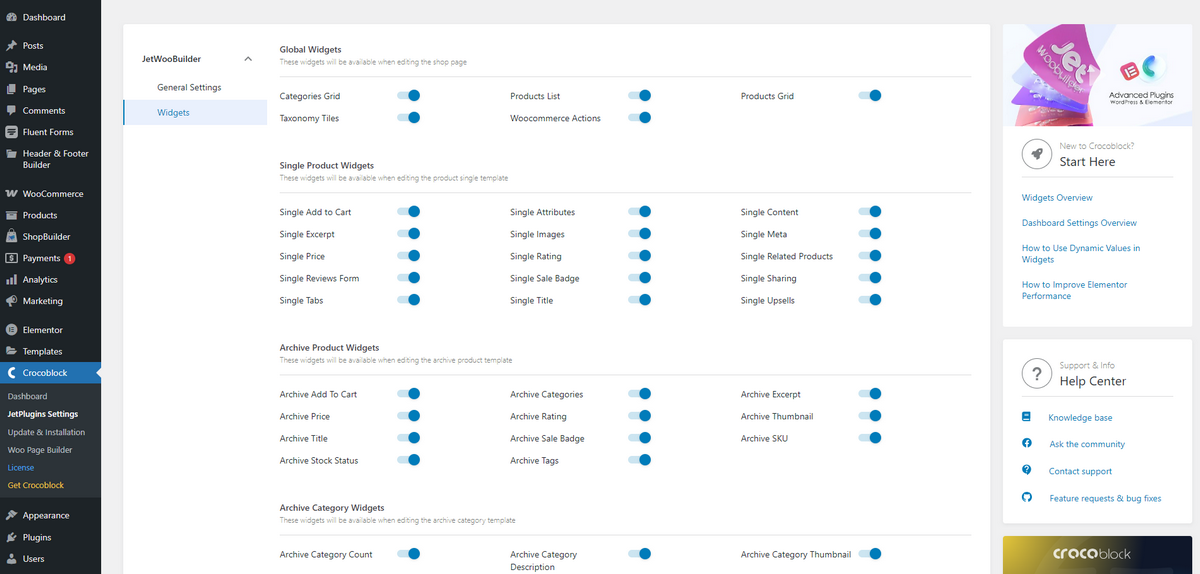
You can design custom product pages, shop archives, category layouts, and more. However, you’re limited in functionality since JetWooBuilder doesn’t offer any modules like ShopBuilder. Nor does it provide features to enhance user engagement and improve sales. It just has essential features to let you build a decent store in WordPress with Elementor.
Flexible Customization
ShopBuilder offers excellent customization freedom. You can use pre-built templates to instantly build a shop, category archive, product, cart, and checkout pages without coding.
Once you create a page, open it inside the Elementor editor, drag and drop one or more of the 100 Elementor addons to your preferred area of the page, and redesign it according to your wishes. From changing colors, fonts, and layouts to product titles, badges, and descriptions, you can do it all with ShopBuilder.
And the best part is that, no matter how many modules and add-ons you use and how extensively you customize your store pages, they’ll always remain lightweight and load quickly, since ShopBuilder’s modules and widgets are modular.
JetWooBuilder, on the other hand, offers a similar approach when it comes to creating and customizing your store pages. You choose a template, open the page in Elementor, and edit it using JetWooBuilder’s diverse selection of widgets.
JetWooBuilder excels in flexibility, ensuring you have precise control over colors, typography, and hover effects.
Lastly, the JetWooBuilder plugin provides Gutenberg support. ShopBuilder’s team is currently working on it, and soon users will be able to customize their pages in the block editor using this plugin’s widgets.
User Reviews and Support
ShopBuilder offers a dependable customer support system, providing users with direct assistance from the development team through a ticket-based system.
Additionally, it features comprehensive documentation, helpful blogs, and video tutorials to help users learn all the details about this WooCommerce store builder.
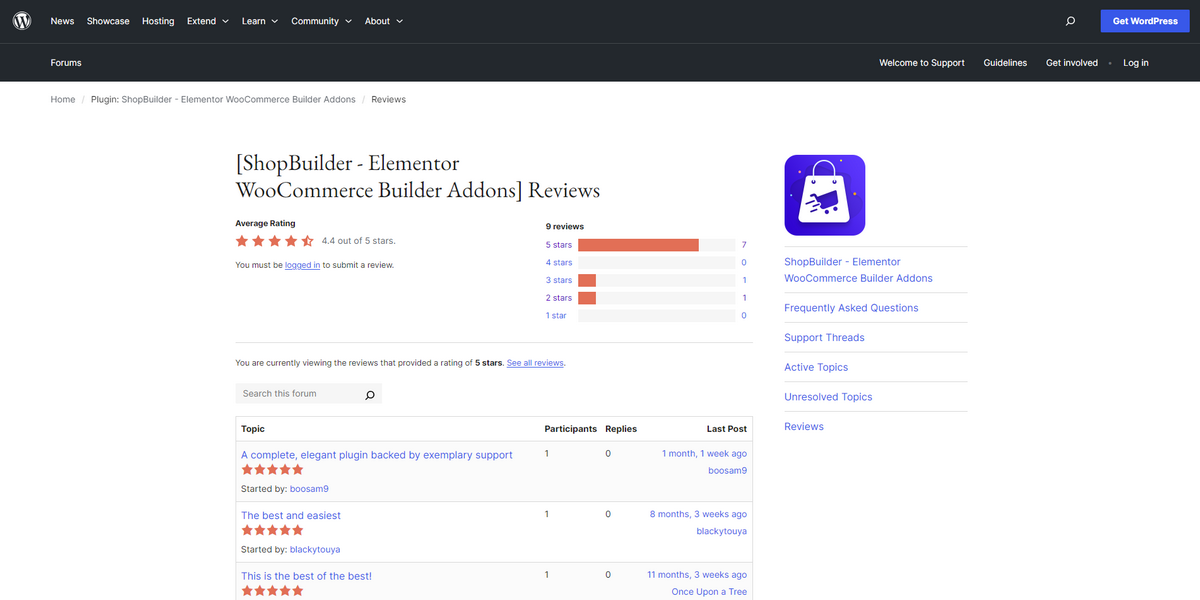
Finally, the ShopBuilder team continually updates its plugin to resolve existing errors and maintain its compatibility with most other WordPress themes and plugins. That’s why it gets good reviews from its existing customers on the WordPress plugin repository.
JetWooBuilder also offers robust customer support through Crocoblock’s extensive ecosystem. It has detailed documentation, knowledge-base articles, and provides access to a dedicated support portal.
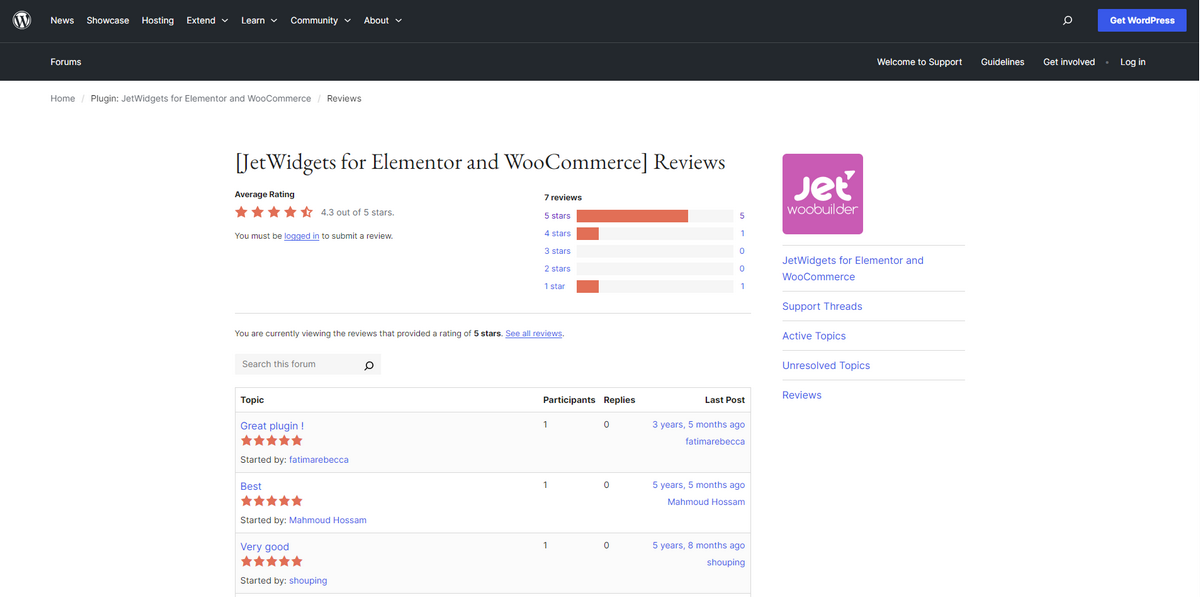
This plugin receives mixed reviews on the WordPress plugin repository, which is understandable given its widespread use.
JetWooBuilder maintains a generally favorable reputation among its users. And it receives mostly positive reviews on the WordPress plugin repository.
Pricing
ShopBuilder offers both a free and a premium version, whereas JetWooBuilder is available for purchase only. However, the plugin’s widgets are available separately as a standalone plugin, free of charge. The table below provides details on the pricing of both plugins.
| Plugin | ShopBuilder | JetWooBuilder |
| Yearly Pricing Kicks at | $41 | $95 (5 Websites) |
| Lifetime Plan Begins at | $43 | $750 |
Pros and Cons
We’ll now talk about the pros and cons of ShopBuilder and JetWooBuilder in this section so that you can decide which plugin to go with.
ShopBuilder
Here are the pros and cons of the ShopBuilder WooCommerce store creator.
Pros:
- The free version has significant widgets
- Beginner-friendly dashboard
- Affordable pricing
- Stunning pre-built templates
- Lots of modules
- Fast support
Cons:
- It isn’t compatible with Gutenberg
JetWooBuilder
Let’s examine the advantages and disadvantages of JetWooBuilder.
Pros:
- Decent templates
- Extensive widget library
- Gutenberg and Elementor compatible
- Reasonably priced
- Strong support system
Cons:
- There is no free version, and modules
Frequently Asked Questions (FAQs)
Is JetWooBuilder Free Like ShopBuilder?
No, JetWooBuilder is a premium plugin, and its pricing begins at $43/year. You can enjoy its features free of charge, as you can with ShopBuilder.
Which Builder Works Best with Elementor Between These Two?
Both plugins are fully compatible with Elementor. You can use ShopBuilder’s Elementor add-ons hassle-free while designing important store pages. You can even create WooCommerce stores instantly using the templates both plugins provide.
Can ShopBuilder and JetWooBuilder Handle Multilingual?
ShopBuilder and JetWooBuilder are designed to handle multilingual stores successfully. Therefore, you can select either of these plugins to serve customers globally.
Now, Pick Your Preferred Store Builder
Now is the time to declare which plugin wins the battle of ShopBuilder vs JetWooBuilder. We consider ShopBuilder a winner since it offers a free version, modules, widgets, and a comparatively larger selection of templates than JetWooBuilder.
Without spending any money, you can build a basic WooCommerce store and get your business running. As you scale, you can opt for the paid plan, though, to enhance your store’s functionalities.
Now, the choice is yours. You can select ShopBuilder or JetWooBuilder to create your WooCommerce store. But we encourage you to explore ShopBuilder to see if it meets your expectations.